How to create a form
- Click on the “Leads” tab in the sidebar.
- Click on the “Forms” tab.
- Click on the “New Form” button.
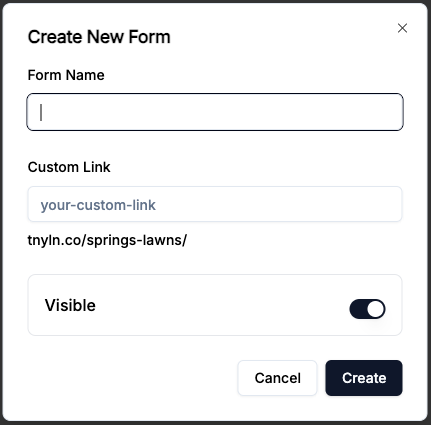
- Enter the form name.
- Enter the custom link.
- Toggle if you want the form to be publicly accessible.
- Click on the “Create” button.
Still need help? Contact Us Contact Us