How to hide a form
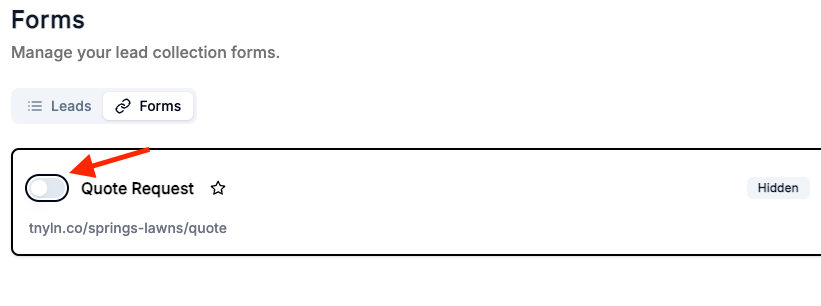
1. Click on the "Leads" tab in the sidebar.
2. Click on the "Forms" tab.
3. Can hide using either of these approaches:
- Click on the toggle switch to hide the form. The 'Hidden' label will appear.
- Click on the '...' icon on the right of the form card. Go to 'Edit'. Uncheck the 'Visible' toggle switch. Click on the 'Update' button.